PDF to JPG Converter
Drag & Drop PDF here or Click to select
PDF to JPG
🖼️ PDF to JPG – Convert PDF Files into High-Quality Images Instantly
Converting PDF to JPG is one of the most common tasks for people who work with documents and images online. A PDF to JPG converter helps you quickly change your PDF files into image format while keeping the quality sharp and clear. Whether you need to upload pages on a website, share them on social media, or print them individually, this tool makes it simple and efficient.
🔍 What Is PDF to JPG Conversion?
PDF to JPG conversion means transforming a Portable Document Format (PDF) file into individual JPG (JPEG) images. Each page of your PDF is turned into a separate image file, making it easier to use visuals in presentations, blogs, or reports.
JPG is a lightweight and widely supported image format, so converting PDF pages to JPG gives you more flexibility to display and share content anywhere.
⚙️ How Does a PDF to JPG Converter Work?
A PDF to JPG converter uses advanced technology to scan and render each page of your PDF into a high-resolution image. When you upload a file, the tool processes all pages and generates JPG images with the same layout, colors, and fonts.
Simple Steps to Convert PDF to JPG:
- Upload your PDF file from your device.
- Click on the “Convert to JPG” button.
- Wait a few seconds for processing.
- Download your images instantly — one per page.
You don’t need to install any software. Most converters work directly in your browser, making the process fast and secure.
💡 Benefits of Using PDF to JPG Converter
There are many reasons to use an online PDF to JPG tool:
- ✅ Quick and Easy: Converts files in just seconds.
- ✅ High Quality: Produces sharp, clear JPG images.
- ✅ No Software Required: Works online on any device.
- ✅ Universal Format: JPG files are supported everywhere.
- ✅ File Flexibility: Use images in blogs, websites, or reports.
For designers, teachers, and office workers, this saves hours of manual screenshotting or copying pages one by one.
🔒 Is PDF to JPG Conversion Secure?
Yes — most trusted PDF to JPG converters are completely safe. They use SSL encryption to protect your uploads and automatically delete files after conversion. You don’t need to worry about data privacy because the entire process happens online and securely.
🚀 Why Choose Our PDF to JPG Converter?
Our PDF to JPG tool is built for speed, simplicity, and accuracy. You can upload multiple PDF files at once, and our converter will instantly turn them into clean, optimized JPGs. It preserves the color, layout, and image resolution of your original document while minimizing file size for faster sharing.
You can use it on any browser — Chrome, Edge, Safari, or mobile — without installing anything. It’s 100% free and available 24/7.
🏁 Conclusion
The PDF to JPG converter is a must-have tool for students, professionals, and creators who want to transform PDF documents into shareable, editable images. It offers speed, accuracy, and convenience — all from your browser.
Try our PDF to JPG online converter today and experience the easiest way to turn your PDF pages into beautiful, high-quality JPG images instantly and for free!
PDF to JPG
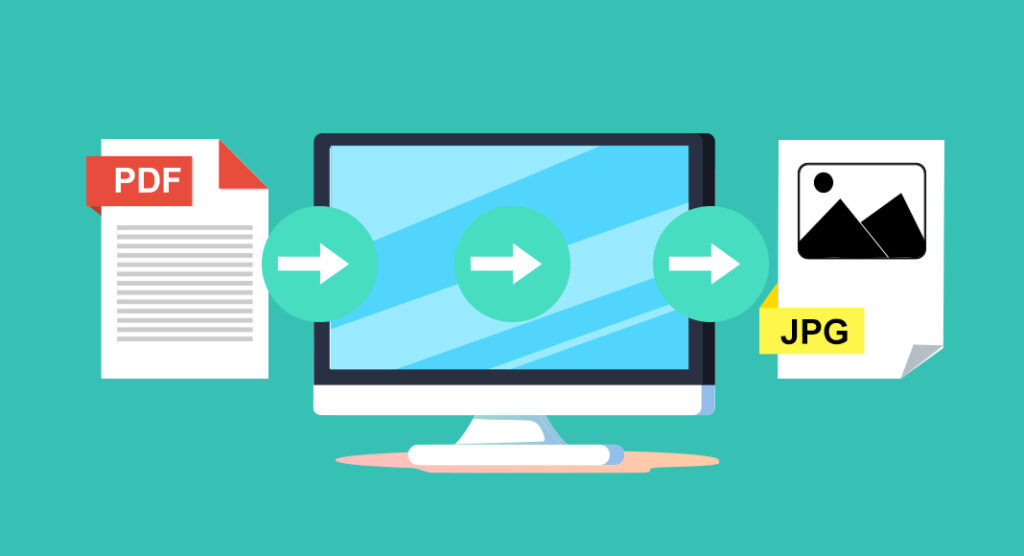
📸 PDF to JPG – Fast, Free, and High-Quality Conversion Online
If you’re looking for a quick and reliable way to turn PDF documents into images, our PDF to JPG converter is the perfect solution. This tool helps you transform your PDF pages into clear, high-resolution JPG images that can be shared, edited, or uploaded anywhere. No software, no signup — just a simple, secure, and instant online conversion.
🌟 What Is a PDF to JPG Converter?
A PDF to JPG converter allows you to change your PDF file format into image files (JPG or JPEG). Each page from your PDF is converted into a separate JPG image while keeping the original design, fonts, and colors intact. JPG is one of the most widely used image formats in the world, making your content more versatile and accessible.
Whether you’re a student converting notes, a business creating presentations, or a designer extracting images — the PDF to JPG process is fast, easy, and efficient.
⚙️ How to Convert PDF to JPG Online
Converting PDF to JPG with our online tool takes just a few seconds. You don’t need any special software or advanced knowledge — everything happens in your browser.
Follow these simple steps:
- Upload your PDF file.
- Click on the “Convert to JPG” button.
- Wait a few seconds while your file is processed.
- Download your JPG images instantly.
Each page is automatically converted into a high-quality image that you can use for websites, social media, or printed materials.
💡 Benefits of Using Our PDF to JPG Converterpdf to CSV
Here’s why thousands of users prefer our PDF to JPG tool:
- ✅ Fast Conversion: Get your images in seconds.
- ✅ High Quality: Every page retains sharp text and vivid colors.
- ✅ Free to Use: No hidden fees or premium restrictions.
- ✅ Secure and Private: Files are encrypted and deleted after conversion.
- ✅ Device Friendly: Works perfectly on desktop, tablet, and mobile.
The PDF to JPG converter saves valuable time and simplifies your workflow — especially for professionals handling multiple documents every day.
🔒 Security You Can Trust
We understand how important your files are. Our PDF to JPG tool uses SSL encryption to ensure safe and private conversions. All uploads are automatically removed from our servers after processing, so your documents stay protected at all times.
🚀 Why Choose Our PDPDF to JPGF to JPG Tool
Our PDF to JPG converter is built to deliver the best results — accurate, fast, and user-friendly. You don’t need to install any software or worry about complex settings. It works directly in your web browser with full support for Windows, Mac, Android, and iOS devices.
You can also convert multiple PDF pages at once, and our system will automatically organize them in proper order for easy download. It’s reliable, efficient, and completely free.
🏁 ConclusionPDF to HTML
The PDF to JPG converter is an essential online tool for anyone who wants to transform PDF files into beautiful, high-quality images. It’s fast, simple, and secure — making it perfect for business reports, study materials, or creative projects.
With our free PDF to JPG converter, you can save time, maintain quality, and enjoy smooth file conversion anytime, anywhere. Try it today and see how easy it is to convert your PDF files into stunning JPG images in just seconds!